PLATFORM
The agent writes in the ledger. The reviewer holds the pen.
A review workspace built for India. It turns a monthly close from reading every line into judging the few that matter.
PLATFORM
A review workspace built for India. It turns a monthly close from reading every line into judging the few that matter.
01 · THE LOOP
LZR does the reading. You decide.
Agents read every statement and propose a category for every line, and your rules run across all of it. Your team starts from books already worked through, and spends its time on the lines that need a person.
01 · AGENT
Every line of every statement, CSV or PDF.
02 · AGENT
A category and a reason for every line.
03 · YOU DECIDE
One decision at a time, from the keyboard.
04 · RULES
Your rules, run on every line, every time.
05 · AUTOMATIC
Every change attributed. Nothing deleted.
06 · AGENT
Plain-English answers that cite their rows.
Each correction becomes the rule for that payee.
01 · AGENT
Every line of every statement, CSV or PDF.
02 · AGENT
A category and a reason for every line.
03 · YOU DECIDE
One decision at a time, from the keyboard.
04 · RULES
Your rules, run on every line, every time.
05 · AUTOMATIC
Every change attributed. Nothing deleted.
06 · AGENT
Plain-English answers that cite their rows.
Each correction becomes the rule for that payee.
01 · AGENT
Every line of every statement, CSV or PDF.
02 · AGENT
A category and a reason for every line.
03 · YOU DECIDE
One decision at a time, from the keyboard.
04 · RULES
Your rules, run on every line, every time.
05 · AUTOMATIC
Every change attributed. Nothing deleted.
06 · AGENT
Plain-English answers that cite their rows.
02 · CAPABILITIES
Four parts, one workspace.
Every part of LZR is built around that split. Each has its own page.
AGENTS
A reading agent turns a CSV or PDF statement into ledger rows, reusing known payees. A separate agent proposes a category for each row, with a reason. Neither checks its own work.
REVIEW QUEUE · WHERE A PERSON DECIDES
Reviewers clear the queue from the keyboard: approve, change, flag or skip. Anything under 85% confidence is marked for checking, and undo is always in reach.
RULES & FLAGS
Write “payments over ₹50,000 need a purchase order”. LZR tries it on the period, then runs it the same way every time. Flags name their rule; closing one takes a reason.
TRAIL & ASK
Every change is recorded against the person, rule or agent that made it, and nothing is deleted. Ask about the ledger in plain English; the answer cites the transactions behind it.
The ledger for one client, with Ask answering from its rows.

Lakhs & crores
₹1,08,618, not ₹108,618. Amounts grouped the way your team reads them.
GSTIN
GST and GSTIN understood natively, on every payee.
85%
Below this confidence, a person checks the category.
0 rows
ever deleted. Every change is recorded against who made it.
04 · ALONGSIDE THE BOOKS
Same client, same workspace.
Timesheets, expenses and documents live alongside each client’s books, with a view across every client.

Hours charged to each client, billable or internal, submitted for approval.

Costs carried for a client, with receipts attached, recharged on approval.

Statements, invoices and filings for every period, linked to the ledger.
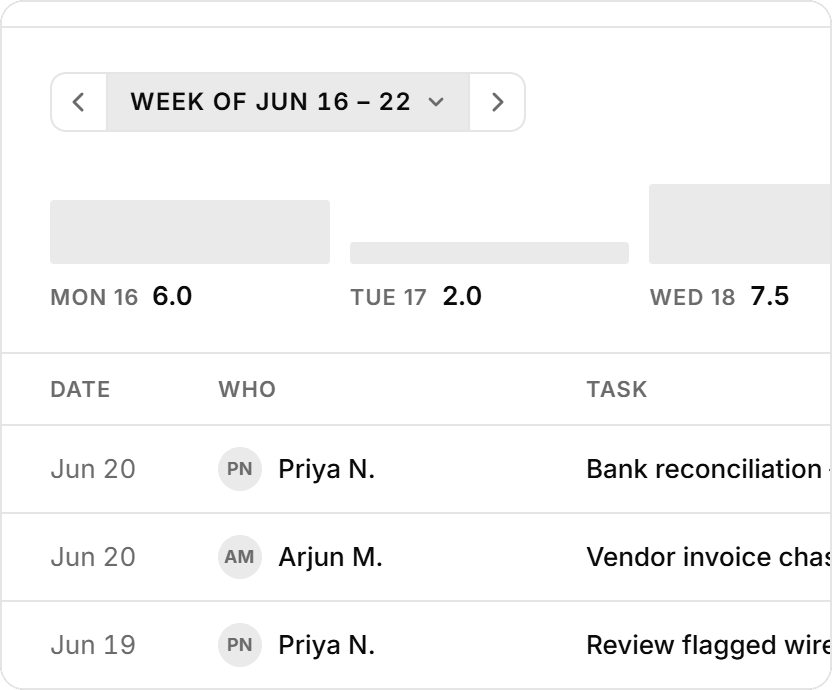
Hours charged to each client, billable or internal, submitted for approval.
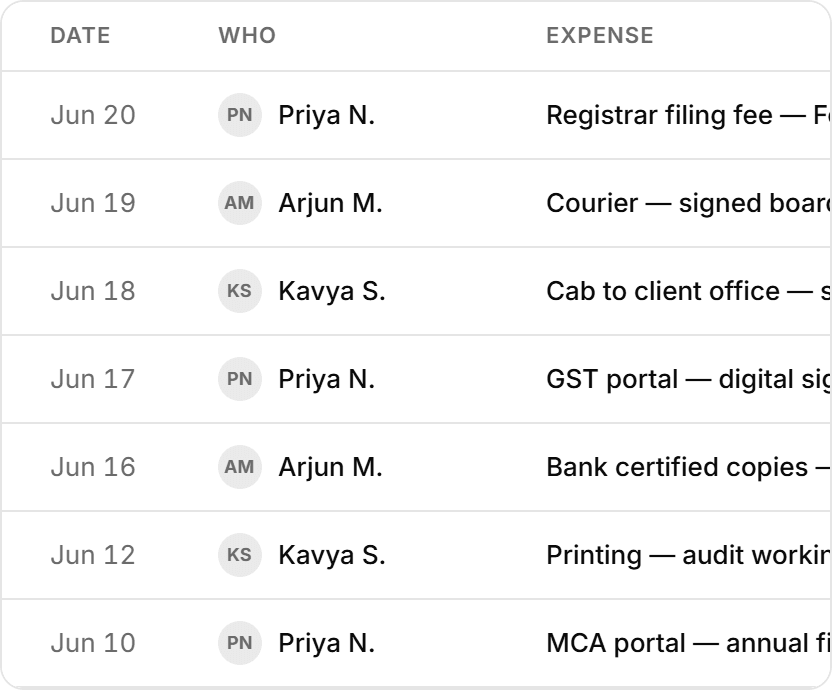
Costs carried for a client, with receipts attached, recharged on approval.
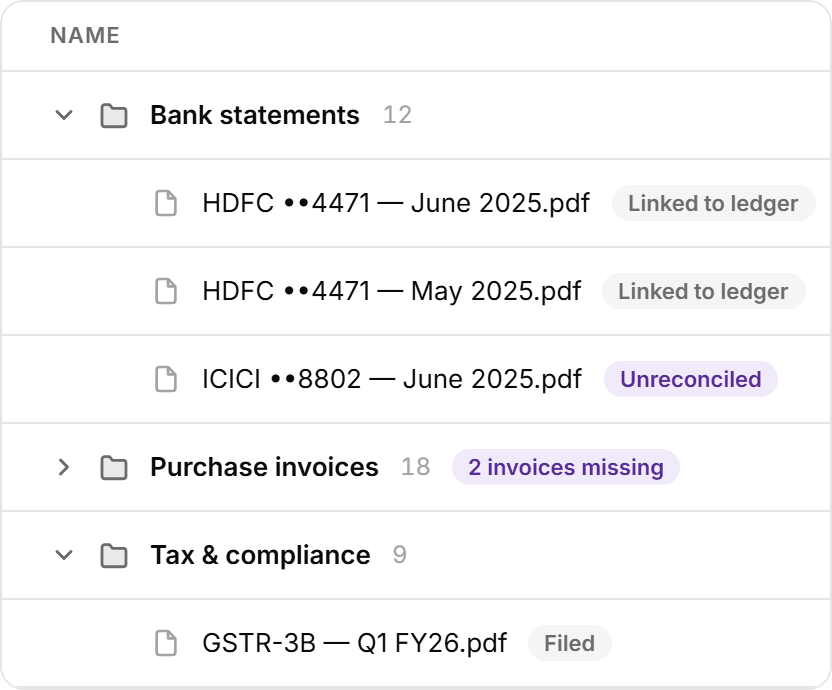
Statements, invoices and filings for every period, linked to the ledger.
05 · ONE WORKSPACE
The whole close, end to end.
From the first statement to the month’s plan, on one ledger.